Choose an app type: web, desktop, static or cli
type decides which fields matter and what Stop does by default.
web |
desktop |
static |
cli |
|
|---|---|---|---|---|
| Needs | command |
command |
url |
command |
| Usually also | port, url |
processName |
command and port, if it serves itself |
cwd |
| Launch | Runs command in a terminal tab |
Runs command in a terminal tab |
No command: opens url in the browser. With one: runs it in a terminal tab |
Runs command in a terminal tab |
Default killMode |
port |
processName |
none |
none |
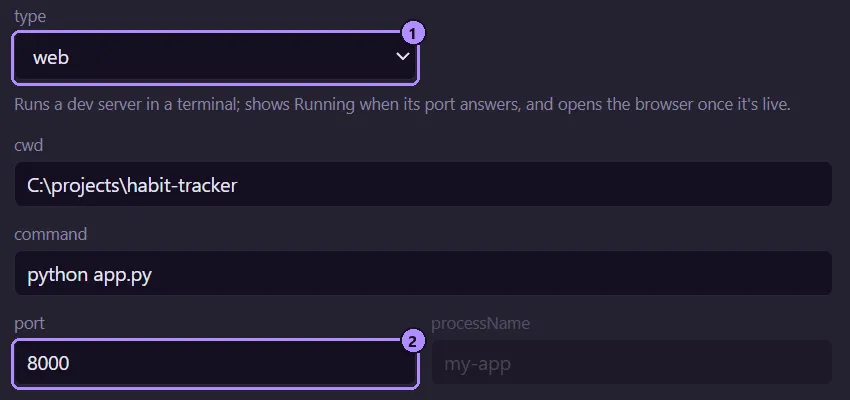
- The
typeselect. Its hint line describes what that type does. - The
portfield. For awebapp, Running follows whether this port answers.
How Running is decided
Section titled “How Running is decided”Moonpool checks every couple of seconds. An app is Running if any of these holds, whatever its type:
processNameis set and a process with that name exists. Moonpool’s own<exe> mcphelper processes are not counted.portis set and answers on localhost.- Moonpool launched it, it has neither
portnorprocessName, and the terminal’s process is still alive.
So a cli app is Running while its command runs, and a web app with no port behaves the
same way. A static entry with only a url has nothing to track and never shows Running.
A local server. Set port so Running reflects whether the server is answering, and url
plus openBrowser to open it when it comes up.
desktop
Section titled “desktop”A native app. Set processName to the executable name so Running survives the window
detaching from the command that started it. The default Stop kills every process with that
name.
static
Section titled “static”A page. With only a url, Launch and Restart open it in your browser and Stop does nothing.
http://, https://, mailto: and file:// URLs are opened, so a local page works:
{ "id": "csv", "name": "CSV dashboard", "group": "Docs", "type": "static", "url": "file:///{MP_HOME}/dashboards/examples/csv/index.html" }Pages that need a server (PHP, or anything
fetching local files) need a command that starts one and a port to track it. See the
examples.
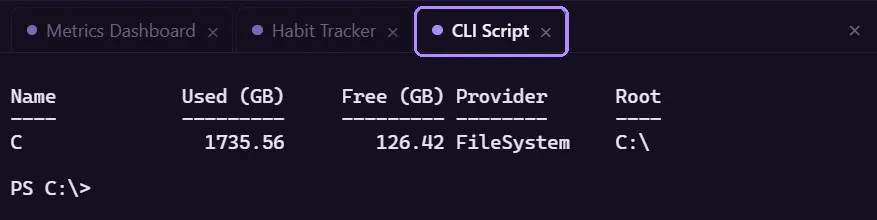
A tool. command runs in a terminal tab in cwd, and the app stops being Running when the
command exits. For a shell that stays open, make the command a shell, for example
this command:
pwsh -NoLogo -NoProfile -NoExit -Command python run.py --flagAvoid nested double quotes in command: they are mangled by the cmd /c wrapper.
What clicking does
Section titled “What clicking does”Clicking an app’s name only opens its terminal tab. Use the Launch, Stop and Restart controls to run it. See App states.
Moonpool is free software from FasterDB