Stop a dev server and everything it started
Stop always does this first: Moonpool ends the terminal it started for the app, including everything that terminal launched. For many apps that is all that is needed.
Some apps outlive that terminal (a desktop window detaches from the dev server that
launched it, or a server subprocess keeps holding its port). killMode chooses one
extra step that runs afterward.
killMode |
Extra step on Stop | Reads | Default for |
|---|---|---|---|
processName |
Force-kills every process with that name. On Windows its children too (taskkill /IM <name>.exe /T /F). Elsewhere pkill -KILL -x <name>: an exact, case-sensitive name match, children not included. |
processName |
desktop |
port |
Force-kills whatever process is listening on port. |
port |
web |
command |
Runs stopCommand in cwd and waits for it to finish. |
stopCommand, cwd, env |
nothing |
none |
Nothing. | nothing | static, cli |
Omit killMode to get the default for the app’s type, and set it only when Stop leaves
something running.
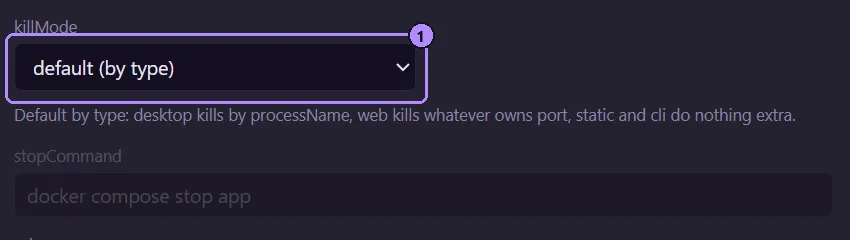
- The
killModeselect. “default (by type)” is the same as omitting the key.
- If the field the mode needs is empty (
portmode with noport, for example), the extra step is skipped. It is not an error. killModeis independent oftype:portworks on acliapp,processNameon awebapp.- An empty string or an unrecognized value does nothing extra. It does not fall back to the type default.
For a desktop app, processName mode runs the equivalent of:
taskkill /IM notes-app.exe /T /FSeveral Moonpools, or your own processes
Section titled “Several Moonpools, or your own processes”processName and port do not know who started a process. processName kills every
process with that name, and port kills whatever is listening on the port, including one
another Moonpool copy started (the installed one and portable copies run independently; see
Portable mode) and one you started yourself.
Use these modes only for apps that will not clash that way: a name or port nothing else on
the machine uses. If two copies register the same app, or you also run it by hand, give it
killMode none or a command that stops only its own instance.
stopCommand
Section titled “stopCommand”Used only when killMode is command. It runs through cmd /c on Windows and $SHELL -c
elsewhere, in cwd, with your env added. {MP_HOME} and {MP_DATA} work in it. Moonpool
waits for it to finish before doing anything else, so a Restart never relaunches while it
is still running. Its exit code is ignored. If it is still running after 60 seconds,
Moonpool kills it and its children and carries on.
Restart
Section titled “Restart”Restart is Stop followed by Launch of the same command. Moonpool waits up to 4 seconds for
the old instance to read as stopped (so its port is free) before relaunching. A static
entry with only a url has nothing to stop: Restart just opens the page again.
Docker apps on Windows
Section titled “Docker apps on Windows”Use none, or command with a real stop command such as docker compose stop app. Do not
use port.
Docker Desktop publishes every container’s port through one shared background process. On
Windows, “whatever is listening on the port” is that shared process, so port mode would
force-kill Docker Desktop and take down every container, not just this app. As a backstop,
Moonpool refuses to kill a fixed list of shared Windows processes by port: Docker Desktop’s
backend, proxy and service processes, dockerd, vpnkit, the WSL host processes, and core
system processes such as svchost. That is not a substitute for choosing the right mode.
If your command already recreates the container (docker compose up -d --build), none
is correct: Restart just runs it again.
See also Find and kill the process using a port and Fix EADDRINUSE and “Port 5173 is in use”.
Examples
Section titled “Examples”A dev server that sometimes leaves a node process holding its port (this is the default for
web, shown here explicitly):
{ "id": "site", "name": "Site", "group": "Web apps", "type": "web", "cwd": "C:\\code\\site", "command": "npm run dev", "port": 5173, "killMode": "port" }A Docker Compose app:
{ "id": "api", "name": "API", "group": "Web apps", "type": "web", "cwd": "C:\\code\\api", "command": "docker compose up -d --build", "port": 8080, "killMode": "command", "stopCommand": "docker compose stop app" }Moonpool is free software from FasterDB