

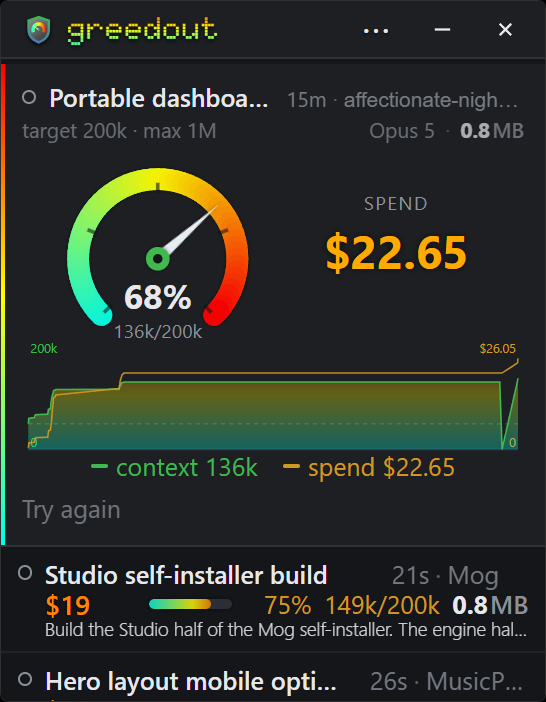
The context readout the desktop app never shows you.
The in-terminal status line that normally prints your context and cost doesn't fire in every desktop app, so that readout is simply gone. Greedout reconstructs it from the outside, reading the transcripts on disk, and along the way gets to show several sessions at once instead of only the one in front of you.
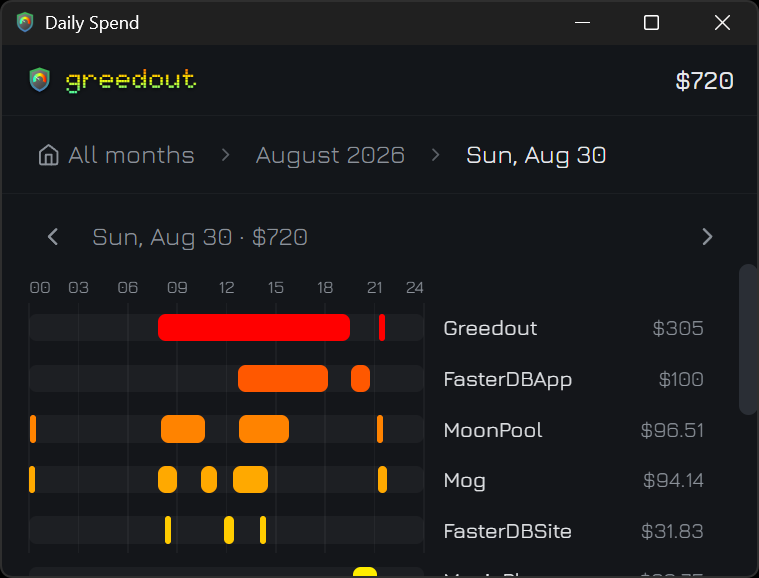
What each day cost, hour by hour.
Every project's spend for a single day, totaled and spread across the hours it ran, so you see both how much the day cost and when the work happened. Page back through earlier days without leaving the view.
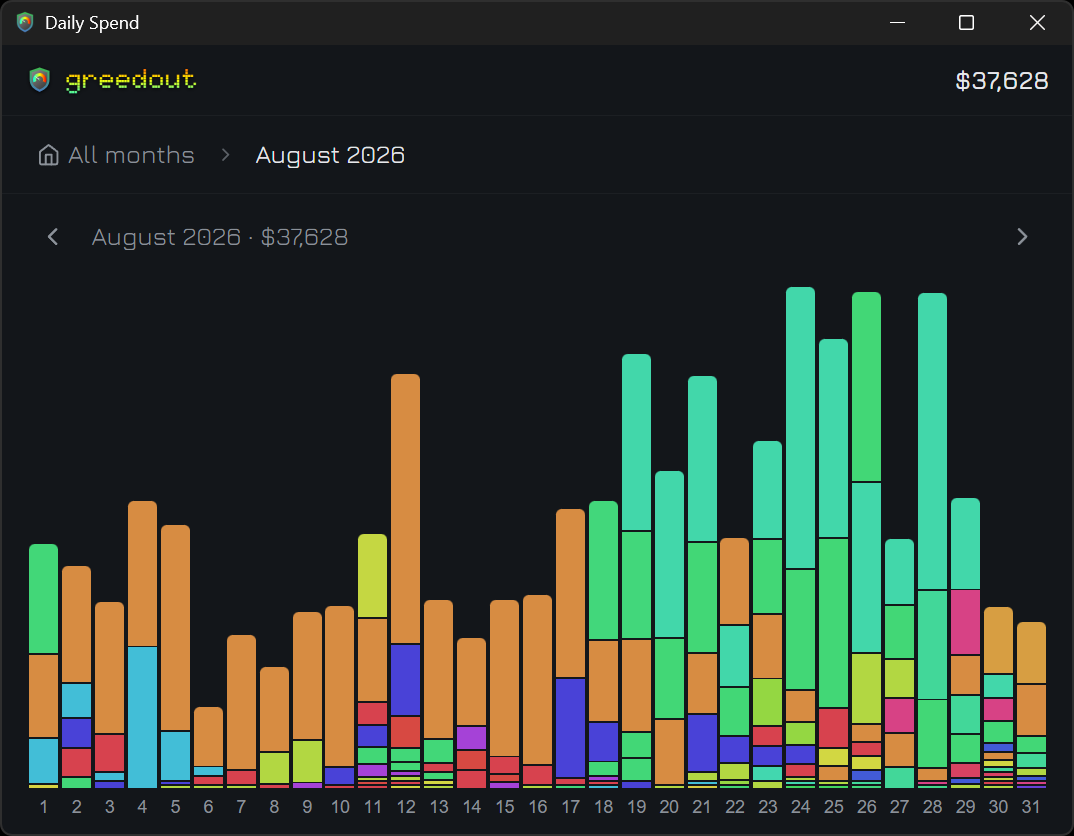
What it cost, and how it got there.
A whole month of spend in one chart, one bar per day and broken down by project, adding up to the month's total. A heavy stretch or a quiet week is obvious at a glance.
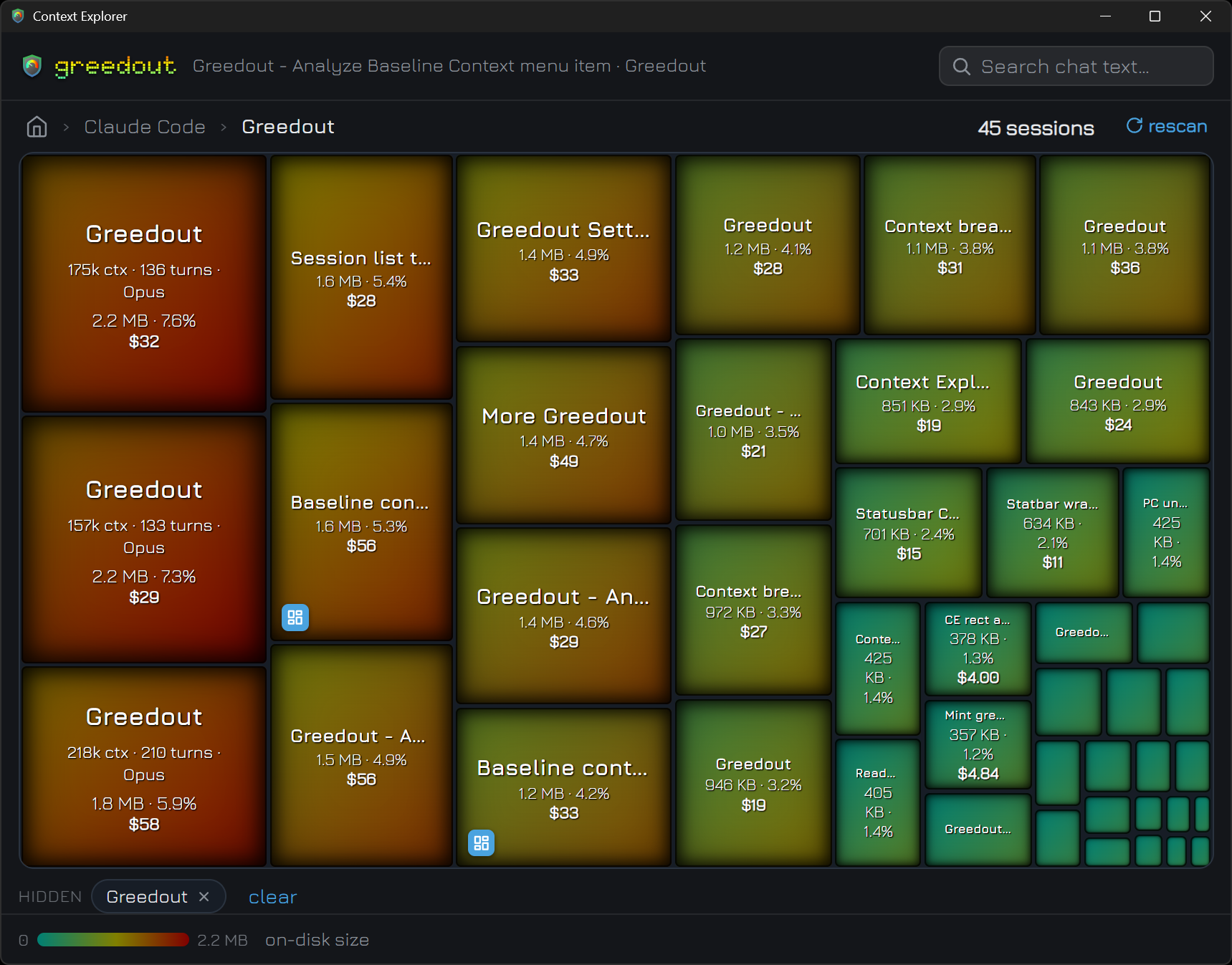
See exactly what's filling the window.
A treemap breakdown of what's actually occupying a session's context, drilling from category down to individual messages and tool blocks, with full-text search across the chat. When a session is full, you can find out why.
Every session on disk, however you like it.
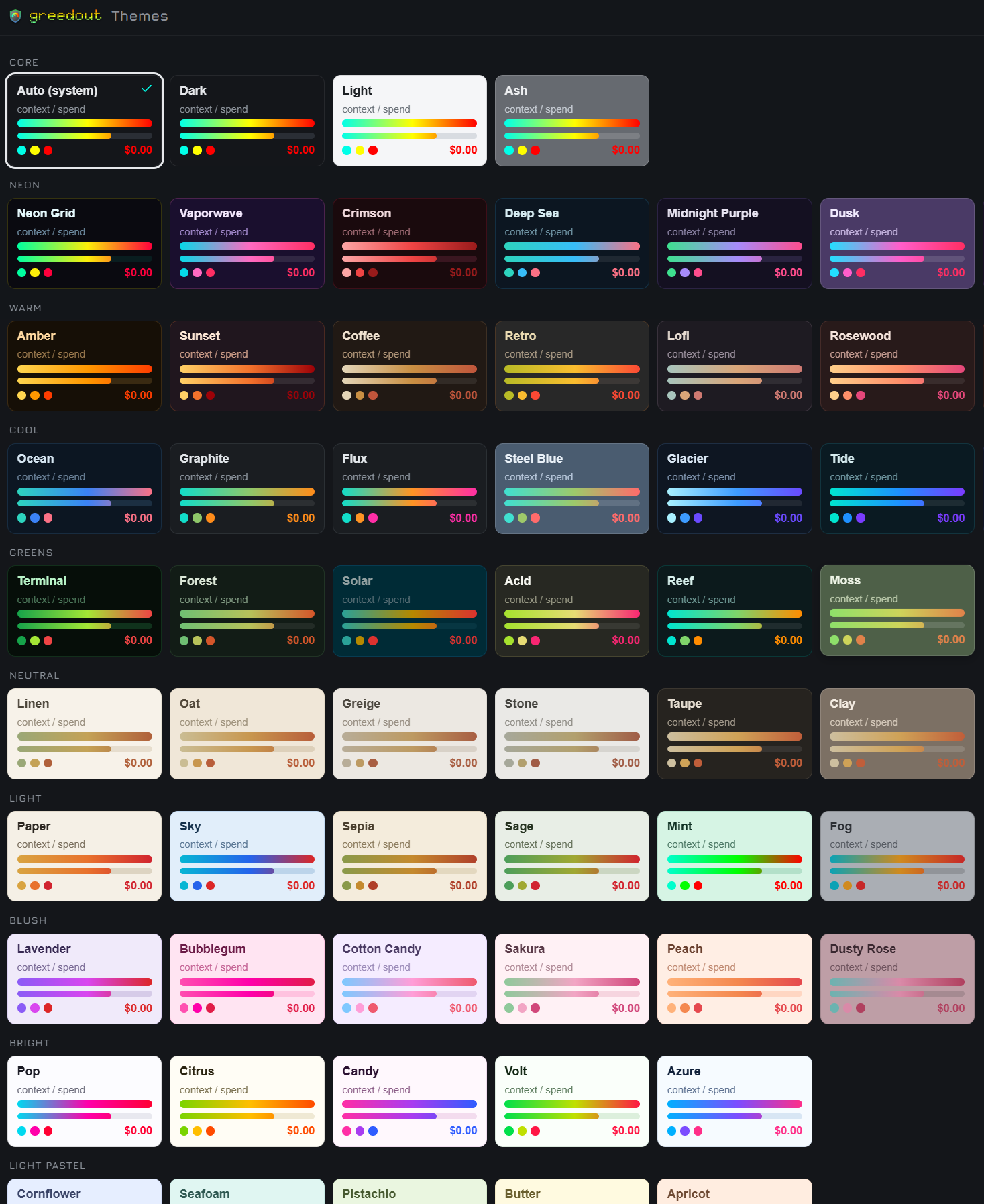
Zoom from harness to project to session across everything on disk, with tiles sized by transcript. Then make it yours: 68 themes, a font picker with roughly 50 bundled faces, Ctrl+wheel zoom, an optional CPU and memory bar, and a tray icon.
- Built with
- Tauri v2 & Rust
- Interface
- Svelte 5
- Platform
- Windows & Linux
- License
- MIT, free forever
Get Greedout
Free and open source. Version 0.4.2.
Download for Windows64-bit, for Windows 10 and 11All downloads & release notes·Source on GitHub
Greedout only reads ~/.claude, and writes only to its own app-data folder.
Greedout is an independent project and is not affiliated with, endorsed by, or sponsored by Anthropic. Claude and Claude Code are trademarks of Anthropic, PBC.